• About

enjolivure

~ embellishments for digital scrapbooking and more

enjolivure

Category Archives: Scrapbooking

That’s My Drink!

22 Saturday Dec 2012

Posted by Enjolivure in Misc., Scrapbooking

≈ Leave a comment

Tags

drink marker, party

Katie found some very cute Drink Markers in the dollar section at Target, but of course, I see crafty little things like this as Creative Memories projects! So, quick, before you have guests over: customize, print, cut, label.

DSC_0081

To make your own Drink Markers:

1. Send me an email (ltwibell63@gmail.com) requesting the CM file. Download the file and open it in Storybook. (For some reason, I couldn’t attach it to this post.)

2. Ungroup the Drink Markers and change the patterns and colors as desired. This is what they could look like if you use the Holidazzle Digital Kit.
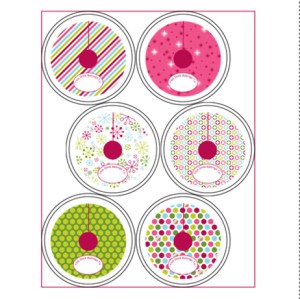
Fullscreen capture 12222012 123624 PM.bmp

3. Print on cardstock.

4. Cut out the small circle in the middle first. I used CM’s 3.75” circle pattern from the Custom Cutting System with the blue blade on the inside circle of the pattern and using the larger black printed circle as a placement guide.DSC_0086
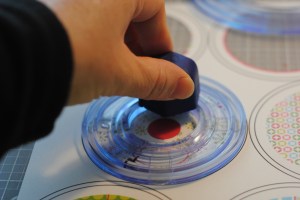
5. Cut out the outside of the drink marker. I used the 5.75” circle pattern with the blue blade on the inside circle of the pattern and using the smaller black printed circle as a placement guide. Alternately, you can simply cut out the markers by hand.DSC_0087
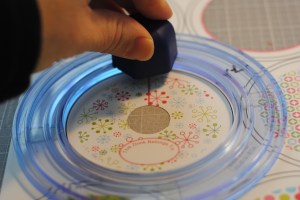
7. Slice the line, label and you’ll be sure that everyone will drink from their own glass!
This is One of my Favorite Things…

13 Thursday Dec 2012

Posted by Enjolivure in Family, Scrapbooking

≈ 3 Comments

Tags

brown paper bags, candy, labels

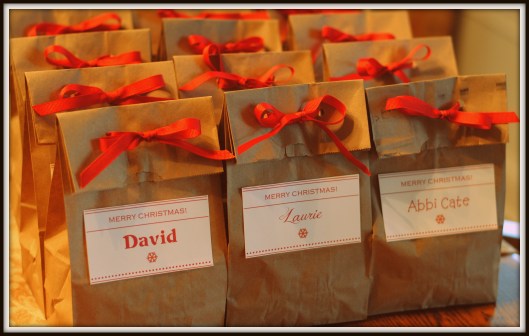
Growing up, there was one thing we could always count on getting more than once  at Christmastime… brown paper treat bags. In our Mennonite circles we called them tootyas which means “little bag.” After the Sunday School program, the men would bring huge boxes of little bags for everyone in attendance. At our grandparents’ houses, after the poems had been recited, carols sung and special gifts presented, the tootyas showed up. Of course we loved the candy but peeling the special oranges (Japanese oranges wrapped in green tissue) in one piece was the most fun.

I had forgotten about tootyas for many years but not too long ago, I decided that I really should revive some of my Mennonite traditions while celebrating Christmas with Mark’s side of the family. I introduced them to crokinole (a table game which was a staple at our home) and assumed that tootyas would be new to them as well. I was wrong. My mother-in-law remembered them from her earlier days in Nebraska.

For several years, I prepared the bags and wrote the names with a marker. However, thanks to Pinterest (I haven’t started it yet myself, but am getting closer), Katie told me that paper bags could be run through the printer. After enough frustration, I decided that really Creative Memories software, white cardstock and double-stick tape would be the way to go. So, this is what sixteen Twibells will be enjoying this Saturday… brown paper treat bags kicked up a notch.

DSC_0323

CM = Creative Memories & Comical Memories

26 Friday Oct 2012

Posted by Enjolivure in Scrapbooking

≈ 2 Comments

Tags

blueprint, comic

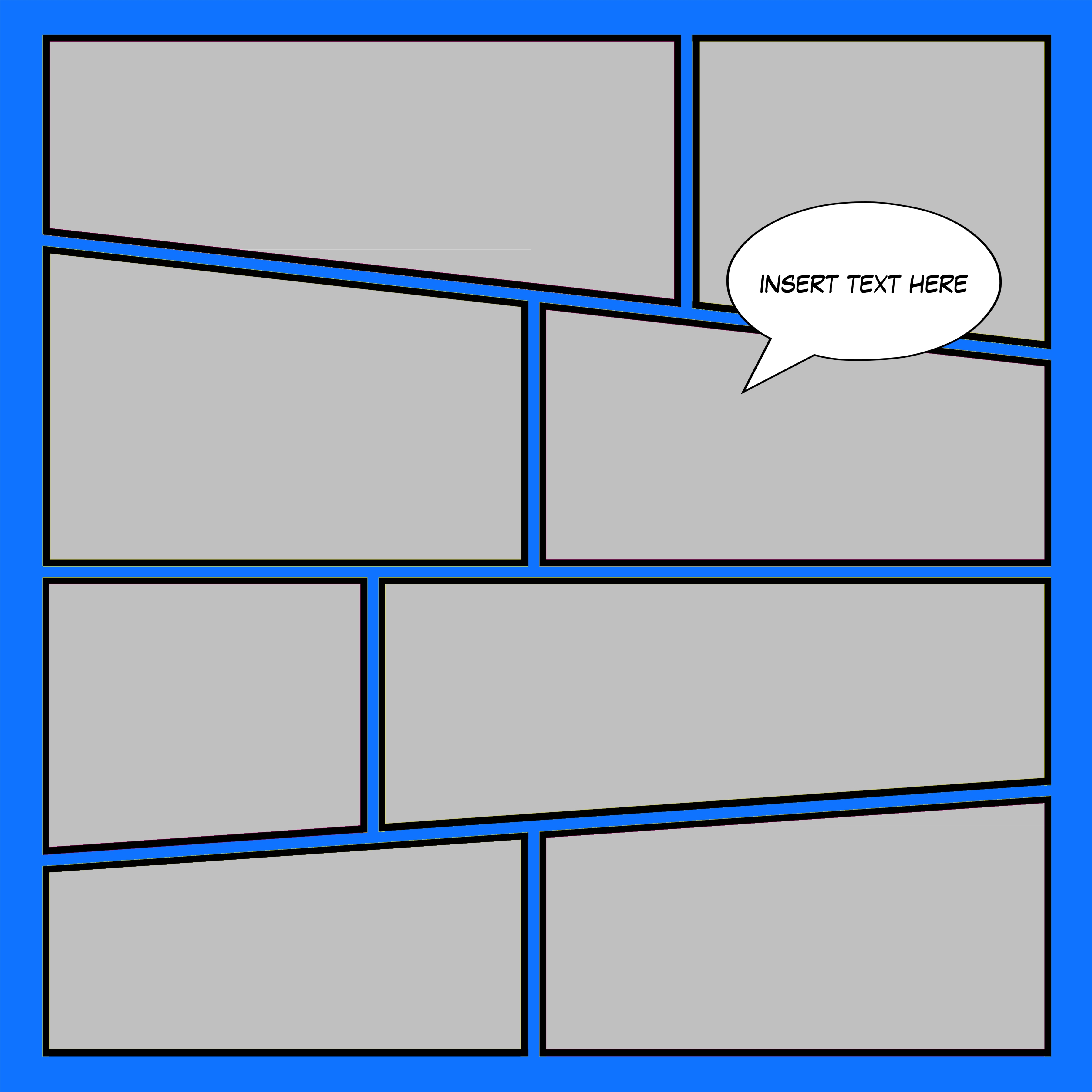
Copying a page from a comic book would be a fun challenge for a very unique scrapbook page. I don’t recall where this came from, but this is how it all got started:

You’ll have to message me to get the blueprint in a usable form but this is what it looks like.

Once you have this on a page, you can insert photos, change some of the photos to paper, add any embellishment and add some word bubbles. (There is one glitch: even with a phone call to CM, I have not been able to figure out how to make a unique photo shape so once you have completed the page, you will need to flatten and trim the photos that overlap onto a nearby photo. This really bothers me but I have an idea of how to fix it although it would be quite involved. I think I could create my own shape and use it as a transparent mat – maybe I’ll get around to trying that some day.)

To make the word bubble: Insert tab, shape, from art kit, Geometric, select bubble of your choice, fill: white, line color: black, line width: 3 pt. Create. Tweak the size and ratio as desired.

To add text: Insert tab, text, create, font: Lafayette Comic Pro. To format text: Format text, text shape, select shape same as word bubble, double click to select.

To make the text fit in the bubble: select text element, then bubble element, arrange tab, make same size and line up horizontally and vertically.

If you try this, I want to see how it turns out. In fact, I need to try it, too!

This Changes Everything!

19 Friday Oct 2012

Posted by Enjolivure in Scrapbooking

≈ Leave a comment

Tags

brightness, color, color balance, color curve, color level, color wash, hue, temperature

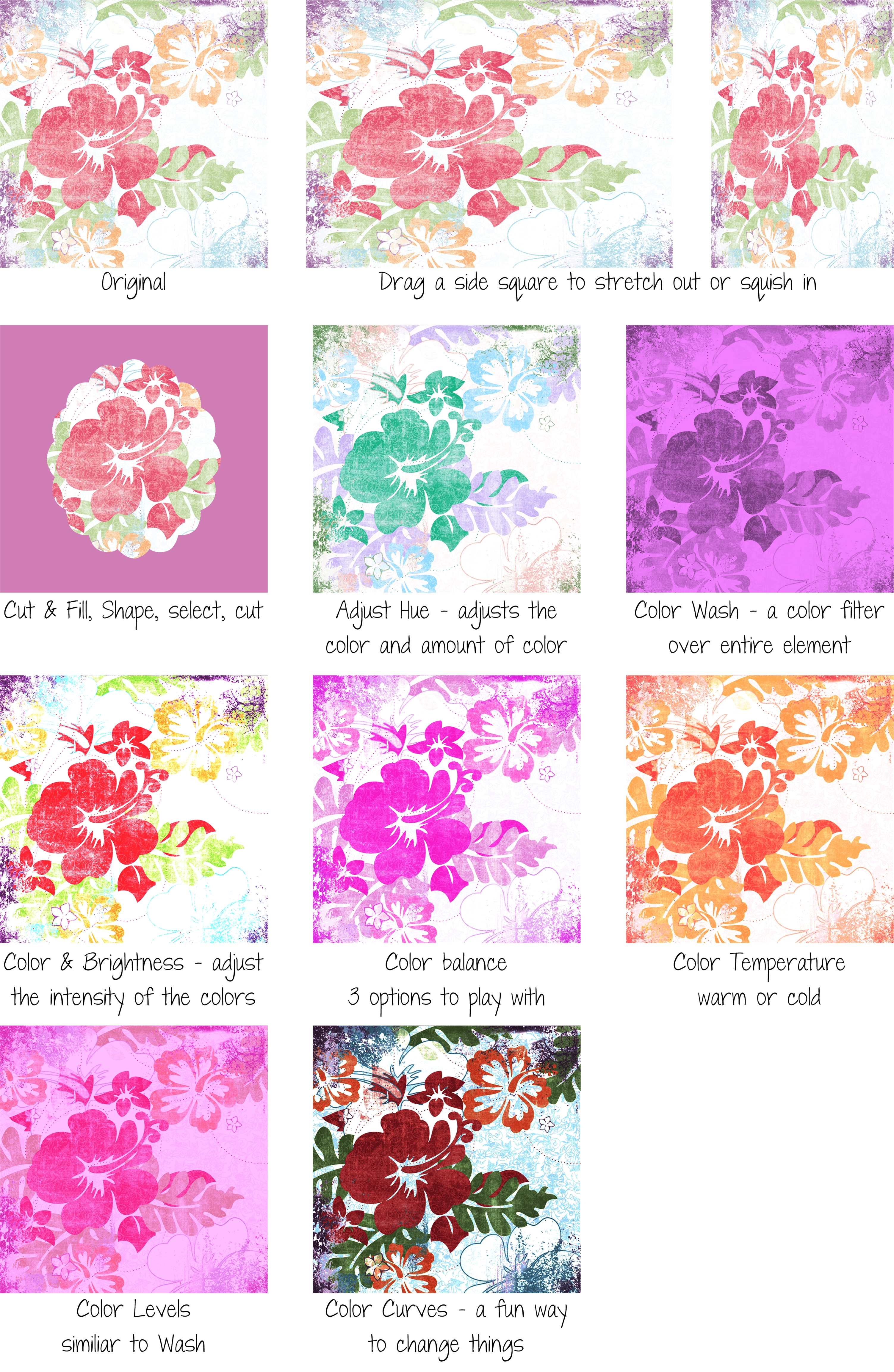
The digital “papers” and “stickers” you use with CM can be changed in many ways. Using Paper 1 from Delight Surfer Girl Digital Additions, I’ve shown some of the things you can do.

For more details, go to CM’s online help.

Elements getting in the way of your Text? Wrap it!

28 Friday Sep 2012

Posted by Enjolivure in Scrapbooking

≈ Leave a comment

Tags

wrap text

When I first started digital scrapbooking, I made square or rectangular text boxes and just made them fit into the space that was available. Somewhere along the way, I discovered text wrapping and now use it frequently. Hopefully, you’ll agree that the example on the left looks better than the one on the right. By using the extra space beside the tag, a larger font could be used. Alternately, more journaling could have been added. You’ll find that wrapping text really increases your options and gives a page a more custom look!

To text wrap: (1) The element(s) you want to wrap around has to be in front of (i.e. higher on the left-side element list) the text box. (2) Select the text and holding the Shift key, select the element(s) you want to wrap around. (3) Under the Format tab, select Text Wrapping. (4) Select your preferences. I typically go with Element Shape. Select an amount for Space around element and then click on OK. (5) Adjust as necessary.

From Feminine to Masculine

21 Friday Sep 2012

Posted by Enjolivure in Scrapbooking

≈ Leave a comment

For some reason I thought I could copy this page (which uses the Enchanted Digital Power Palette) for David’s squadron’s visit to an airplane hangar. However, as I worked it quickly became obvious that the design needed to be more masculine. Guys and jets don’t mix with polka dots and sparkly brads.

Denim and metal to the rescue. To change the green circle rows, select “Cut and Fill”, “Gradient”, select the two-color gradient with a line across the middle, and finally select two shades of gray with the lighter shade in the middle of the pattern. I also added dimension (format, filters, 3-D edge, 80, 0, 7, apply).

The tag is from the Silver Hardware collection and the font is Bohemian Typewriter.

Mission accomplished.

Free Frame with Curling Corners

15 Saturday Sep 2012

Posted by Enjolivure in Scrapbooking

≈ Leave a comment

Tags

frame

Back in spring, Creative Memories posted a fabulous page created by Jennifer Gibson. I pretty much like everything she designs! The instructions for the unique shadowing were included but it was a real challenge to duplicate. I’ve asked CM to share the frame and shadows on one of their Freebie Fridays but until they do, you can use the one I made.

The page below was already done but I really wanted to use this new frame so I went ahead and changed the feature photo (yet another reason to go digital).

Save the file as a png so that the background will be transparent.

Snip & Paste

07 Friday Sep 2012

Posted by Enjolivure in Scrapbooking

≈ 1 Comment

Tags

scraplifting, snip, snipping

My dear friend, Stephanie, introduced me to Zinio. It’s a free online library-related magazine subscription and I recently had time to check it out. The scrapbooks etc. magazine included an inspiring page that I plan to use for the first page of my next family album. Using the Snipping Tool*, I snipped and pasted the page and the directions into my This ‘n’ That album (misc. inspiration, pages for future albums and misc. projects).

Remember that you can make good use of the space around your project – it’s kind of like making a mess all over your dining room table when you used to have stickers, die cuts, papers, scraps, tools and photos scattered everywhere! I also refer to this concept in another post called Two Pages @ Once.

* The Microsoft Windows Snipping Tool is a handy, dandy feature that captures a screen shot of anything on your screen. It’s basically Print Screen but with immediate cropping options. I have it pinned on the taskbar across the bottom of my screen so it’s always on red alert. To see if your computer has it, click on the Start circle on the bottom left-hand corner of your screen and search “Snipping Tool”.

Facebook? No, Familybook.

03 Monday Sep 2012

Posted by Enjolivure in Family, Scrapbooking

≈ Leave a comment

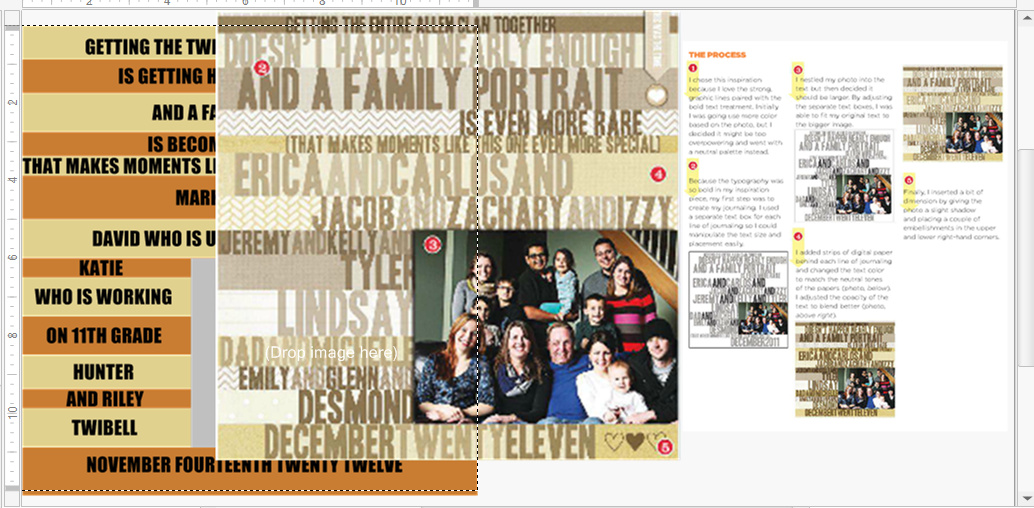
The first and last pages of a scrapbook usually take some extra thought. For family books, I almost always start with a picture of the family, not a particular event. For my children’s books, the first page is always their school picture. But then there’s the last page. Like the first page, it’s rarely a specific event. It sometimes ends up as a miscellaneous page for pictures that had no place else to go. For our 2011 book, I got this great idea to make it look like a screenshot from Facebook. It was a ton of work but I like how it turned out. Let me know if you want the template as I’ll need to send it by email.

Creative Memories is not just for Scrapbooking!

31 Friday Aug 2012

Posted by Enjolivure in Family, Scrapbooking

≈ 3 Comments

I love it when my young adults ask me to create something for them using my scrapbooking software. They are well aware that CM Storybook easily makes me a graphic artist extraordinaire! My most recent undertaking was creating labels for my husband’s Starbucks-themed 50th birthday party but I used CM for a lot of projects before that.

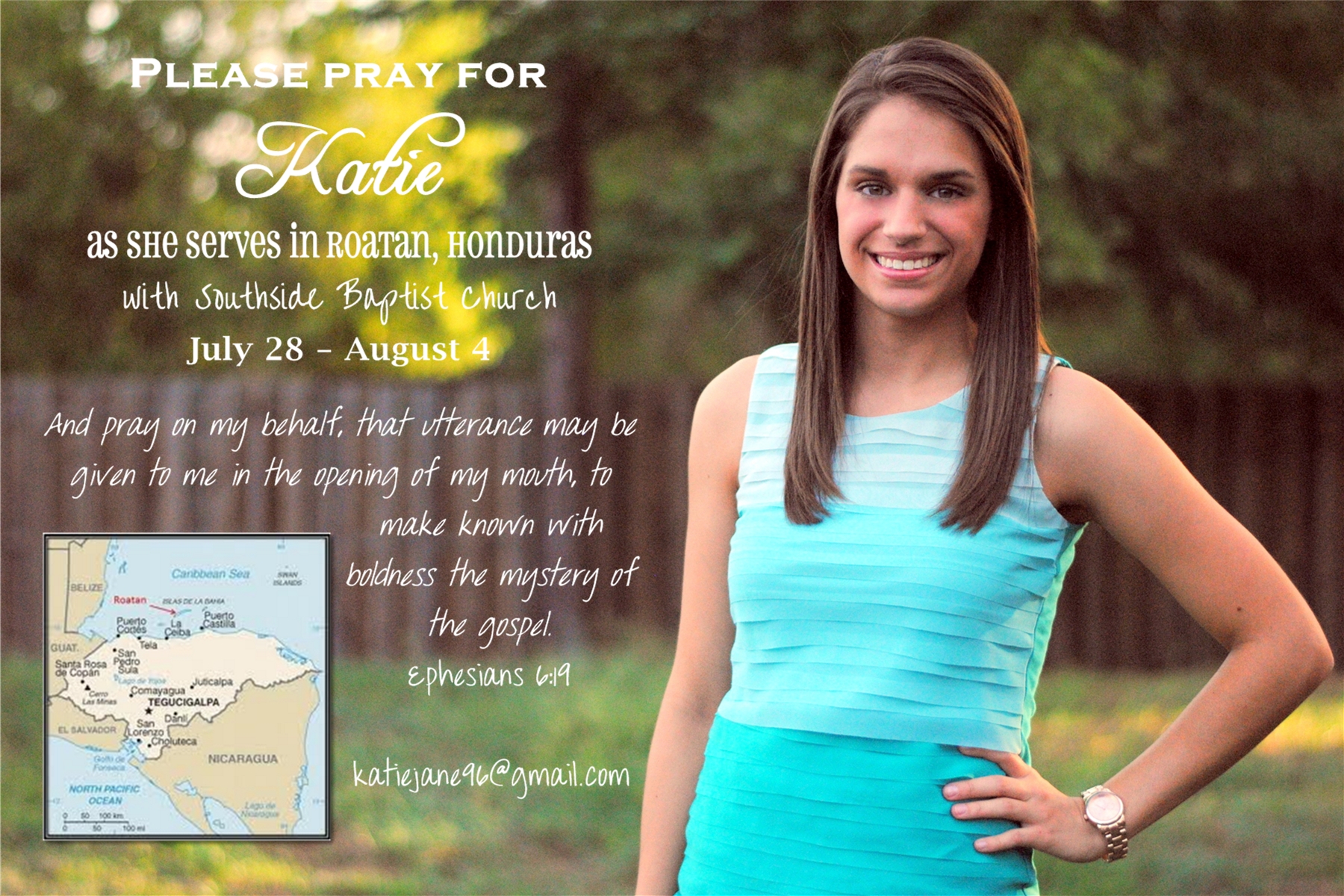
A very special last-minute design was a prayer card for my daughter’s medical mission trip. She had seen a similar one at a friend’s house and knew it would be easy peasy for me to make it. After grouping all the elements and saving it as a jpeg, we had it printed as a 4 x 6 photo at Walgreens.

When my son was getting close to being promoted to the highest grade in the Civil Air Patrol cadet program, I searched and searched for a braggy car magnet but couldn’t find one so I created my own and sent it off to Vistaprint for printing.

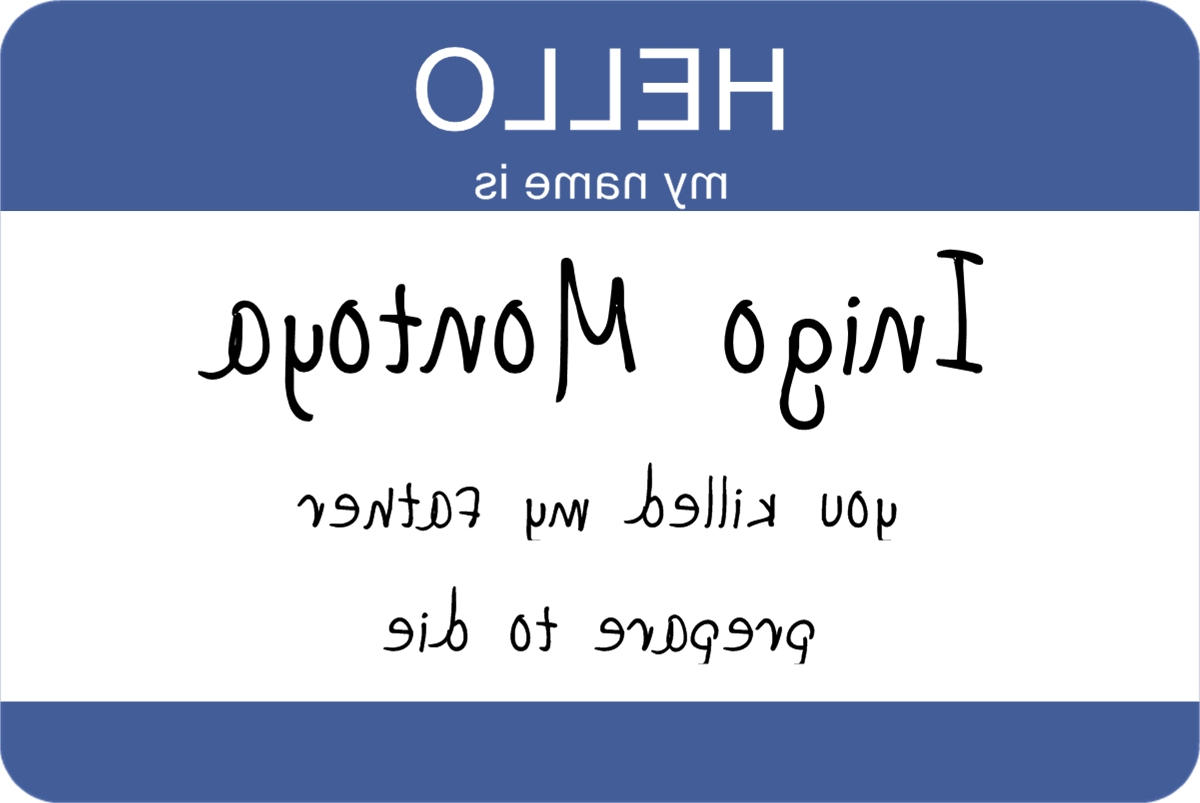
The perfect tee shirt for my little sister cost more than I wanted to spend so I bought a cheap tee-shirt, created the artwork on CM Storybook, flattened it, flipped it and printed it on an iron transfer. She loved it!

I could go on and on but you get the picture. If you or yours need a little something and you don’t have time to create it, ask me because I will set aside my housework for a fun challenge!

← Older posts
Newer posts →

Recent Posts

  • 12-Block Scrapbooking
  • A Personalized Sleeve for a Coffee Cup
  • When Outlined Text Shapes Overlap
  • Front & Center
  • Safeguard Your Scrapbooks!

Archives

  • May 2016
  • November 2015
  • October 2015
  • June 2015
  • March 2015
  • November 2014
  • July 2014
  • March 2014
  • December 2013
  • November 2013
  • October 2013
  • August 2013
  • July 2013
  • May 2013
  • April 2013
  • March 2013
  • January 2013
  • December 2012
  • October 2012
  • September 2012
  • August 2012
  • July 2012
  • June 2012

Categories

  • Family
  • Misc.
  • Scrapbooking

Enter your email address to follow this blog and receive notifications of new posts by email.

Join 24 other subscribers

Follow my Blog!

  • RSS - Posts
  • RSS - Comments

Blogs I Follow

  • Inside Stitch: The Official Vera Bradley Blog
  • Ordinary Days
  • WordPress.com News

Blog at WordPress.com.

Inside Stitch: The Official Vera Bradley Blog

Ordinary Days

Finding beauty, joy, and simplicity in the everyday moments

WordPress.com News

The latest news on WordPress.com and the WordPress community.

Privacy & Cookies: This site uses cookies. By continuing to use this website, you agree to their use.
To find out more, including how to control cookies, see here: Cookie Policy
  • Subscribe Subscribed
    • enjolivure
    • Already have a WordPress.com account? Log in now.
    • enjolivure
    • Subscribe Subscribed
    • Sign up
    • Log in
    • Report this content
    • View site in Reader
    • Manage subscriptions
    • Collapse this bar
 

Loading Comments...